1XBET Bonus Promo Code XPUMP Guide
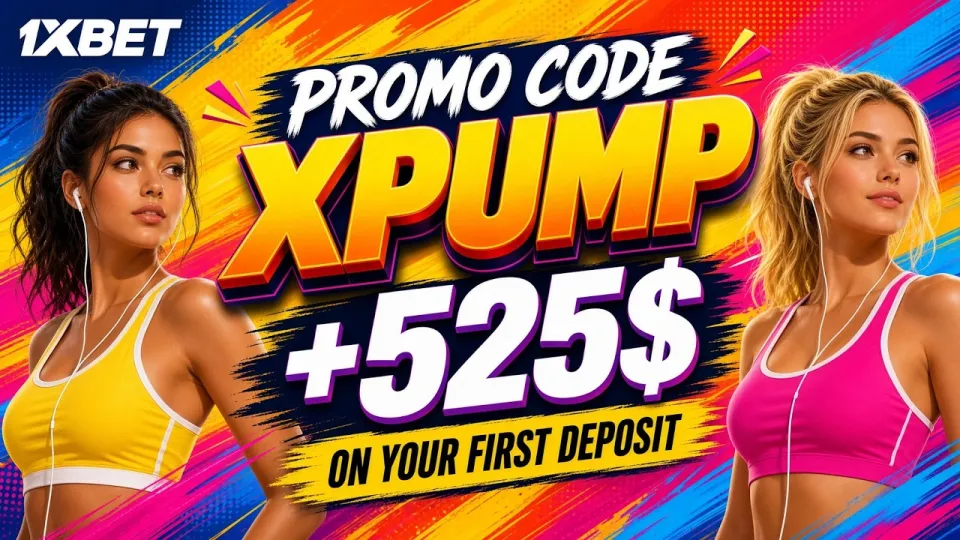
· based on the channel Naomi Blevins
To use the 1XBET bonus, open your account settings, find the promo code field, type XPUMP and confirm it; the code is advertised as adding +525$ to your first deposit, and the bonus page behind it is available at the 1xBet bonus registration page. That is the entire routine shown in the walkthrough: no separate app, no support ticket, just the field in the settings and a confirmation click.
The appeal of a welcome code is obvious — extra funds on the first deposit, a low-effort action, a short code. The catch is that a code only pays out when it is applied at the right moment and to the right account, and plenty of players lose the offer by entering it too late or by missing a step. This guide breaks the process down, explains where the field lives, what to check before confirming, and what usually goes wrong.
Where the 1XBET promo code field sits
The promo code field is part of the account settings area, not the deposit screen and not the registration form, which is why many newcomers never find it. Once you are logged in, the settings menu holds the personal details and preferences, and the promo code entry sits among them as a single input line with a confirm button. If you are still creating an account, the same code can be attached during registration, but the settings route is the one that works for existing profiles.
A few practical points about the field:
- It accepts a short alphanumeric string, so XPUMP fits with no spaces and no punctuation.
- It is case-insensitive in most cases, but typing it in capitals avoids ambiguity.
- Confirmation is a separate action; typing the code and closing the page does nothing.
- The code can only be tied to one account, so a second profile needs its own registration.
Step-by-step: applying XPUMP to your account
The whole procedure takes under a minute if you are already signed in, and the order below mirrors the walkthrough. Do it before you make the first deposit, because a code applied after the money lands may not attach to that payment.
- Log in to your 1xBet account, or create one if you have none; the bonus page at the 1xBet bonus page is the usual starting point.
- Open the account settings section from your profile menu.
- Locate the promo code input field.
- Type XPUMP exactly as shown, with no spaces.
- Press the confirm button and wait for the on-screen acknowledgement.
- Go to the cashier and make your first deposit within the qualifying window.
- Check the bonus balance or the active bonuses list to confirm the credit appeared.
If the confirmation message does not appear, the code has not been applied. Re-enter it, check for a trailing space, and try again before depositing.
What the +525$ first deposit offer actually means
The advertised figure is a maximum, not a flat payment: the +525$ headline on the XPUMP promo represents the top of the welcome package, and the amount you receive scales with your first deposit. A small deposit produces a proportionally smaller bonus, so the size of the credit is tied to how much you put in, not to the code alone.
Two things follow from that. First, decide your first deposit before you hunt for the code, because the bonus is calculated on that payment. Second, treat the headline number as marketing copy rather than a promise of 525$ in cash — bonus funds normally arrive as bonus credit with conditions attached, and they are not withdrawable until those conditions are met. Wagering requirements, minimum odds and eligible markets are set by the operator and can change, so read the current terms on the bonus page rather than relying on any single video or forum post.
Typical questions and mistakes around promo codes
The most common failures come from timing and account hygiene rather than from the code itself. Players who enter a promo code after depositing often find it does not retroactively apply; players with more than one account find the code already used; and players who skip the confirm button find nothing happened at all.
Other recurring issues:
- Code already used. A promo code is normally single-use per account, so a second attempt on the same profile returns an error.
- Wrong field. Entering the code in a chat box, a bet slip comment or a search bar does nothing; only the settings field counts.
- Deposit method restrictions. Some payment methods are excluded from welcome offers, so check the list before funding the account.
- Expired or region-locked code. Promo codes have validity windows and geographic limits; a code that worked for one player may be closed for another.
- Misreading the bonus as cash. Bonus funds usually need to be wagered before withdrawal, and the balance display separates them from real money for that reason.
If the code is rejected, contact customer support with your account ID and a screenshot of the error rather than creating a fresh account, which can breach the one-account rule.
Checking that the bonus landed correctly
Verification is a two-minute habit that prevents most disputes. After the deposit, open the bonus or promotions section of your account and look for an active entry matching the welcome offer. The bonus balance should reflect the credited amount, and the terms page for that bonus should list the wagering requirement and expiry date.
If nothing shows up, do not place bets in the hope that the bonus appears later. Note the time of the deposit, the payment method and the code you entered, then raise a support ticket. Most operators can trace a promo code application and either attach it manually or explain why it was rejected.
The bonus link used in the walkthrough
The walkthrough points to a single destination for the offer, and it is the same page you should open before registering or depositing.
- 1xBet bonus and registration page: https://surl.li/1bn
Use the link to reach the offer, then apply XPUMP in the account settings as described above; the link delivers the page, the code unlocks the bonus.
Summary
The 1XBET bonus via promo code XPUMP is a short, mechanical process: log in, open account settings, type XPUMP into the promo code field, confirm, then make the first deposit to trigger the advertised +525$ maximum. The steps matter more than the speed — applying the code before the deposit and verifying the credit afterwards is what separates a working bonus from a missed one. Always read the current wagering terms, since the headline figure is a cap rather than a guaranteed amount. The video breakdown of this routine comes from the Naomi Blevins channel, and the offer page it points to is the 1xBet bonus registration page.
Key takeaways
- Promo code XPUMP is entered in the 1xBet account settings via the promo code field, then confirmed.
- The code is advertised as giving +525$ on the first deposit.
- The bonus link from the walkthrough is https://surl.li/1bn.
- No minimum stake or wagering terms are stated in the walkthrough; check the current 1xBet bonus rules before opting in.
- The walkthrough was published by the Naomi Blevins channel on 20 November 2026.
Questions & answers
Where do I enter the 1XBET promo code XPUMP?
The code goes into the promo code field inside your 1xBet account settings, not the deposit screen or the bet slip. Type XPUMP, press confirm, and wait for the on-screen acknowledgement before you make your first deposit.
Does XPUMP really give +525$?
The +525$ figure is the maximum of the welcome offer, not a fixed payout. The actual bonus scales with the size of your first deposit and arrives as bonus credit with wagering conditions attached, so check the current terms on the offer page.
Can I apply the promo code after depositing?
In most cases no. Welcome codes are designed to be attached to the first deposit, so entering XPUMP after the money has landed may leave that payment without a bonus. Apply the code first, then deposit, and verify the credit in the bonuses section.
Why was my promo code rejected?
Common reasons are that the code was already used on that account, a space or typo was included, the deposit method is excluded from the offer, or the code has expired or is not available in your region. Contact customer support with your account ID rather than opening a second account.
Source: 1XBET BONUS: How to Use Promo Code XPUMP | Quick Walkthrough · Markdown version